WING I · EVENING RITUAL NOTE
5 Cozy Offline Worlds to Play on Your iPad Before Bed (Zero Notifications)
Trade the last hour of doomscrolling for something that actually helps you wind down: quiet cafés, a mossy cottage and a bonsai that grows with your words. Cozy, offline-ready iPad worlds with no notifications, no ads and no streaks.
The Last Hour of Your Day Deserves Better
You get into bed meaning to relax. Then it is 12:40 AM and you have watched thirty strangers' videos, read two arguments you did not need, and you feel more wired than when you started. Tomorrow you will promise yourself "no phone in bed." It will last two nights.
The problem is not that you use a screen at night. It is that almost everything on it was designed to keep you awake: autoplay, red badges, endless feeds, reward sounds. A cozy game flips that. It has an ending to each session, nothing to refresh and nothing pinging you. You close it feeling calmer, not emptier.
What Makes a Game Truly Cozy at Bedtime
"Cozy" gets used for everything, so here is the checklist we design around for evening play:
- No notifications, no ads and no daily-streak guilt.
- Warm, soft colors that are easy on tired eyes.
- Short sessions with a natural stopping point—one café, one room, one reflection.
- Gentle sound you can turn down to a whisper or switch off.
- Works offline, so you can turn on airplane mode and leave the internet behind.
- Nothing to win or lose. You cannot fail a cozy game.
The Wandering Chronicler: A Café Journey Around the World
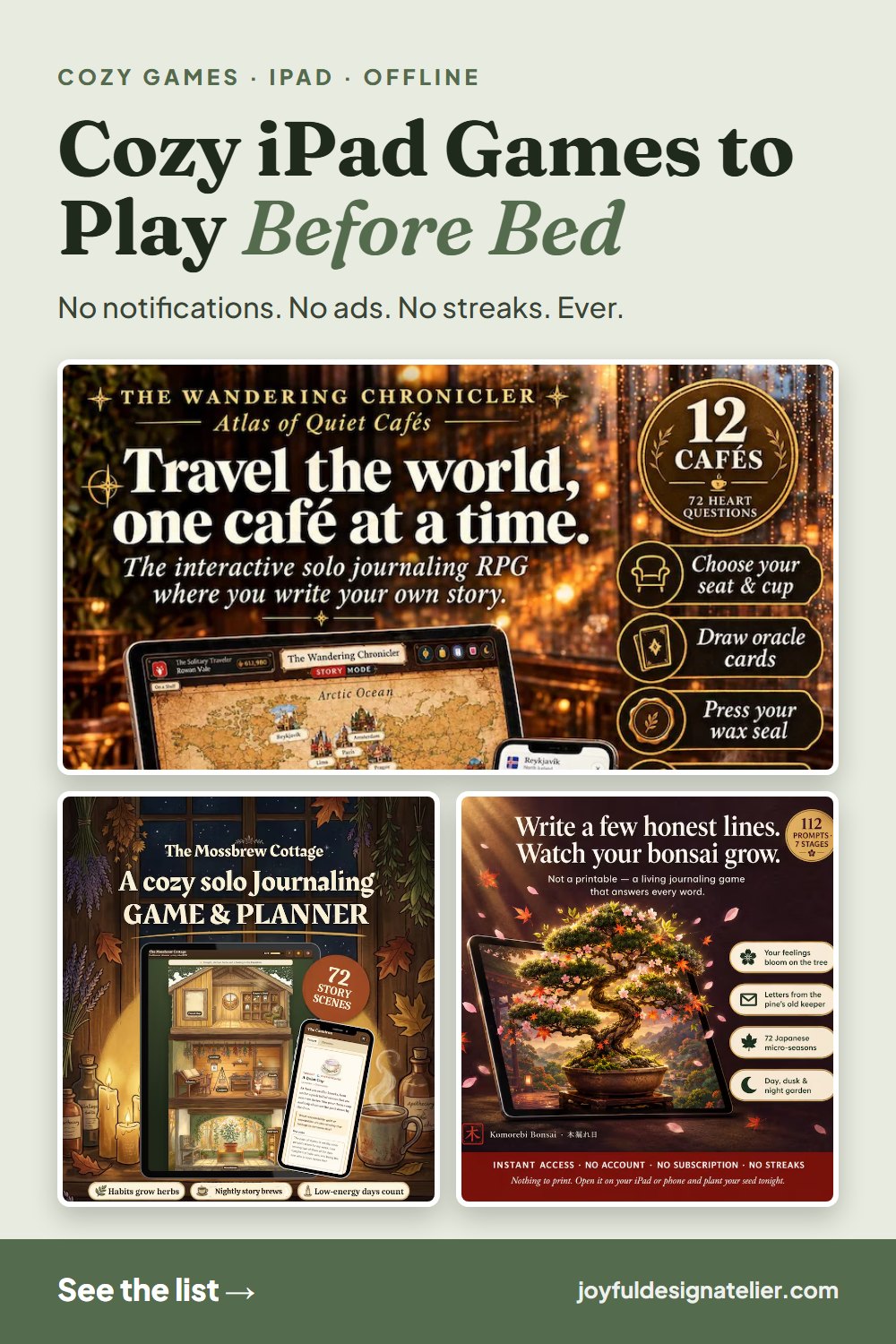
Arrive at one of twelve quiet cafés, from Tokyo to Paris. Choose your table and your warm drink, draw an oracle card you did not pick, and answer one unhurried question. Press your crimson wax seal, collect a passport stamp, and the atlas turns its page.
Perfect for: the nights your mind will not stop. One café takes about 15 minutes, and the single gentle question gives your thoughts somewhere to land before sleep. No dice, no stats and no prep.
The Mossbrew Cottage: A Self-Care Apothecary That Never Judges You
A woodland cottage whose illustrated rooms come back to life as you take care of yourself in real life. Harvest botanical herbs, brew an evening tea ritual and plan your next day in the Keeper's Grimoire.
Perfect for: tired evenings. Choose Ember mode on low-energy days and you will only see three gentle quests—with zero guilt for what you did not do. There are no streaks to break.
Komorebi: Grow a Bonsai With Your Words
Write a few honest lines each evening and watch your digital bonsai blossom, grow moss or turn crimson across Japan's 72 micro-seasons. Six emotional modes shape the tree, including Ame—gentle rain—for heavy days.
Perfect for: building a gratitude habit without pressure. Miss a week and your tree simply waits for you.
A Simple Wind-Down Routine (15 Minutes)
Try this for one week and notice how you feel in the morning:
- 1. Make a warm drink—chamomile, rooibos or warm milk—and dim the lights.
- 2. Turn on airplane mode and lower your screen brightness or enable Night Shift.
- 3. Open your cozy world from the Home Screen icon. One café, one room or one reflection.
- 4. When the session ends, put the iPad face-down on the nightstand. Do not "just check" anything.
- 5. Read a few pages of a paper book or simply turn off the light.
How to Set Them Up for Offline Play on iPad
Each world runs in Safari, so there is nothing to download from the App Store. Open the link from your Player Guide, tap Share, then Add to Home Screen. From then on it opens full-screen with its own icon, and it keeps working in airplane mode. Your entries stay on your own device—nothing is uploaded to an account.
A Thoughtful Gift for the Friend Who Can't Switch Off
Everyone knows someone who scrolls until 1 AM and says they are "fine." A cozy evening world is a gift that tells them you noticed. It is delivered instantly by email, so it works for last-minute Christmas gifts, stocking stuffers or a "just because" message.
Pair it with a box of their favorite tea and a handwritten card: "For the last hour of your day."
Featured in this guide
- The Wandering Chronicler: Atlas of Quiet Cafés — Guided café travel solo journaling RPG across 12 global cities ($7.69)
- The Mossbrew Cottage — Cottagecore apothecary dollhouse planner & gentle self-care RPG ($10.99)
- Komorebi: Grow a Bonsai With Your Words — Interactive Japanese 72-micro-season gratitude journal that grows a tree ($5.50)
Frequently asked questions
Do these games work offline on iPad?
Yes. After you open them once and use Add to Home Screen, they work in airplane mode with no internet connection.
Are there notifications or ads?
No. There are no notifications, no ads and no streaks. Nothing will ping you after you close the app.
Do I need to download anything from the App Store?
No. They run in your web browser on iPad, iPhone, Android or desktop. Add them to your Home Screen for a full-screen experience.
Is my journal private?
Yes. Your entries stay in your own browser on your own device and are never uploaded to a company server.
Is it a subscription?
No. Each world is a one-time purchase that is yours to keep.